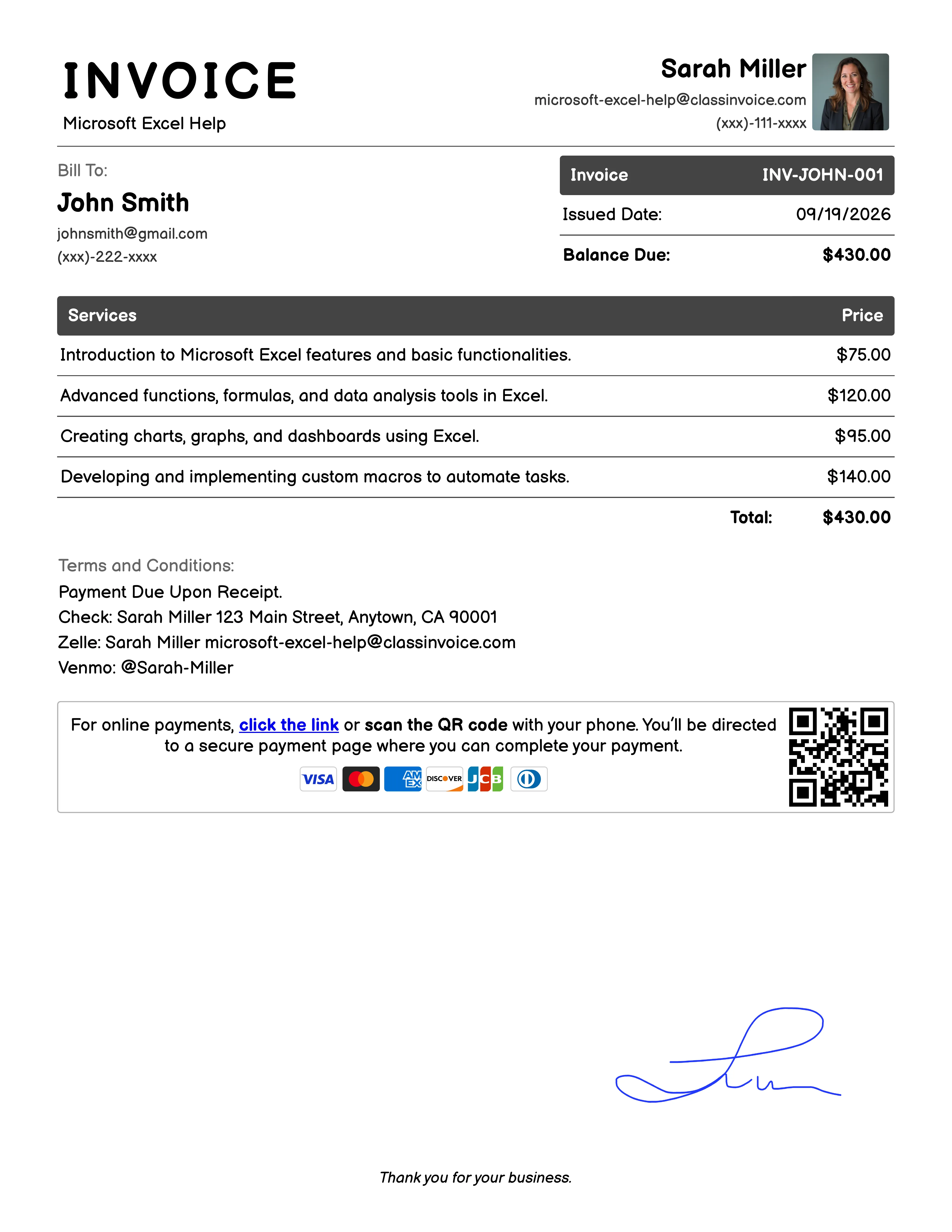
Free Microsoft Excel Help Invoice Generator
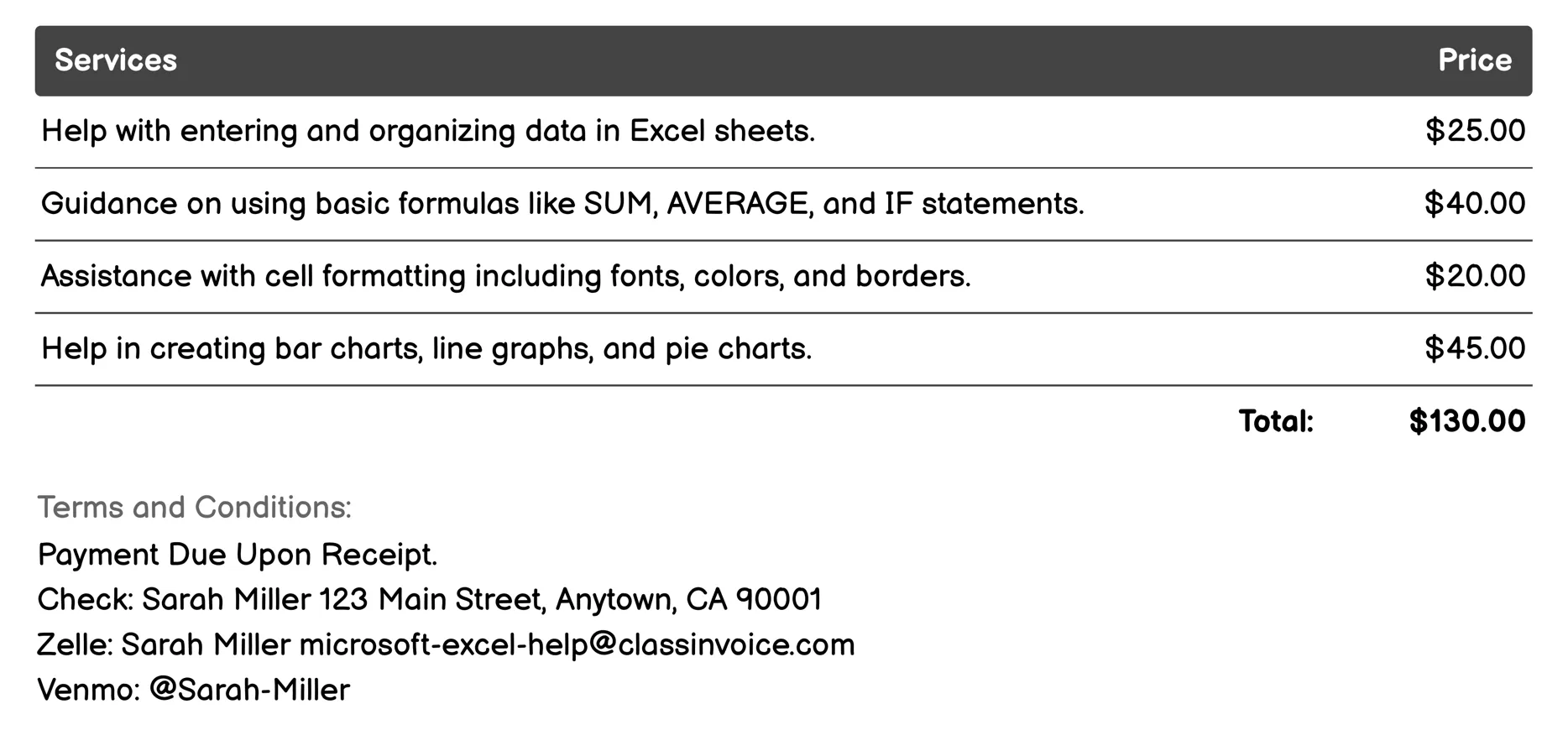
Basic Usage Invoice
This service provides fundamental support for using Microsoft Excel, focusing on invoicing tasks. It helps users enter and organize invoice data efficiently within sheets, apply basic formulas like SUM to calculate totals, and use functions such as IF for conditional statements. Users can format cells for clarity, create charts for visualizing financial data, and sort/filter data to manage invoices effectively. The service also introduces PivotTables for in-depth analysis of invoicing patterns, implements conditional formatting for highlighting key figures, sets up data validation rules, transforms ranges into tables, and offers a simple introduction to macros for automating repetitive billing tasks.
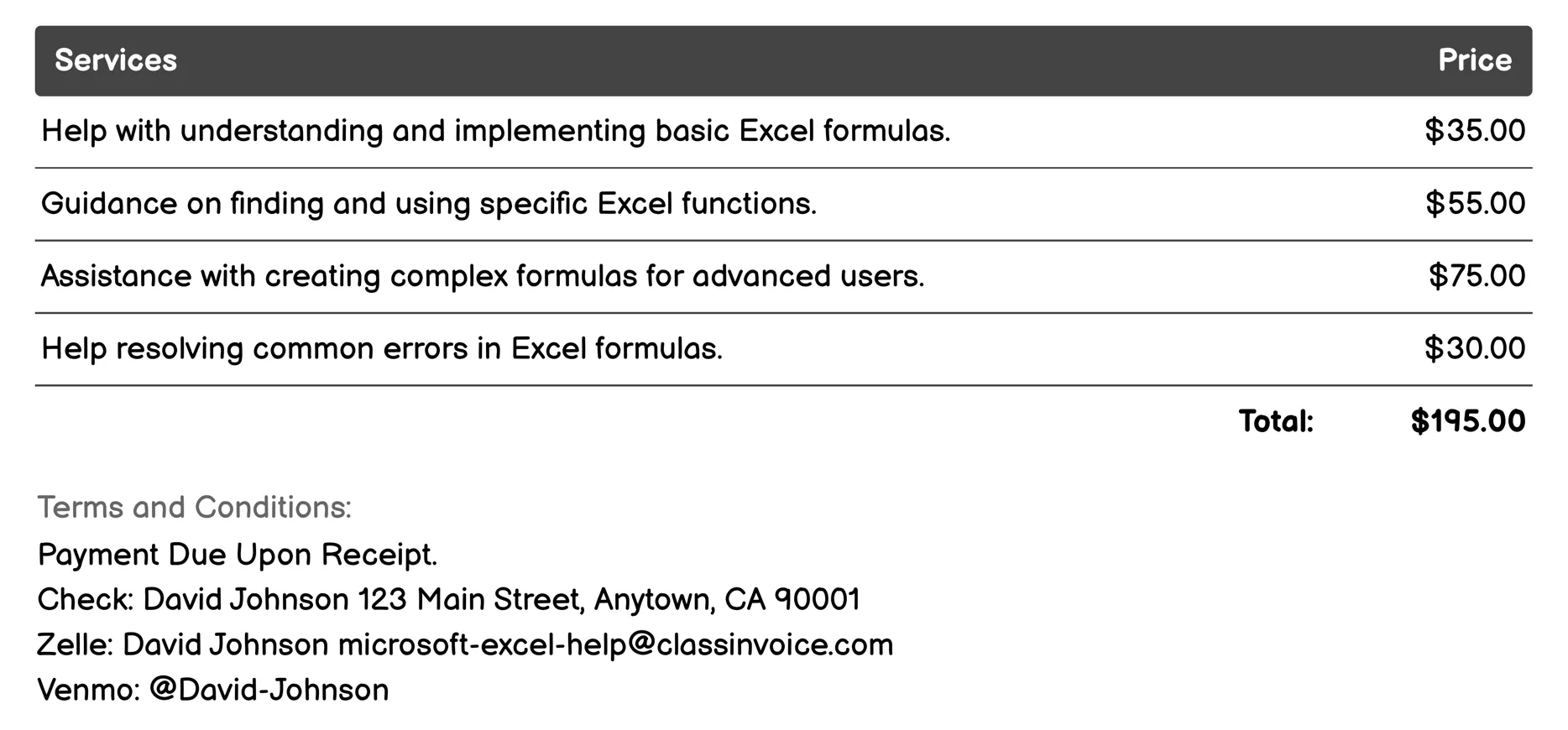
Formulas and Functions Invoice
This service offers comprehensive support for using Excel formulas and functions, essential for effective invoicing. It helps users understand basic to advanced formulas, troubleshoot errors, and utilize specific functions like financial and statistical ones. Users can create complex or custom formulas with guidance on conditional logic and array formulas. The service also provides insights into Excel's data analysis tools, ensuring accurate and efficient invoice creation.
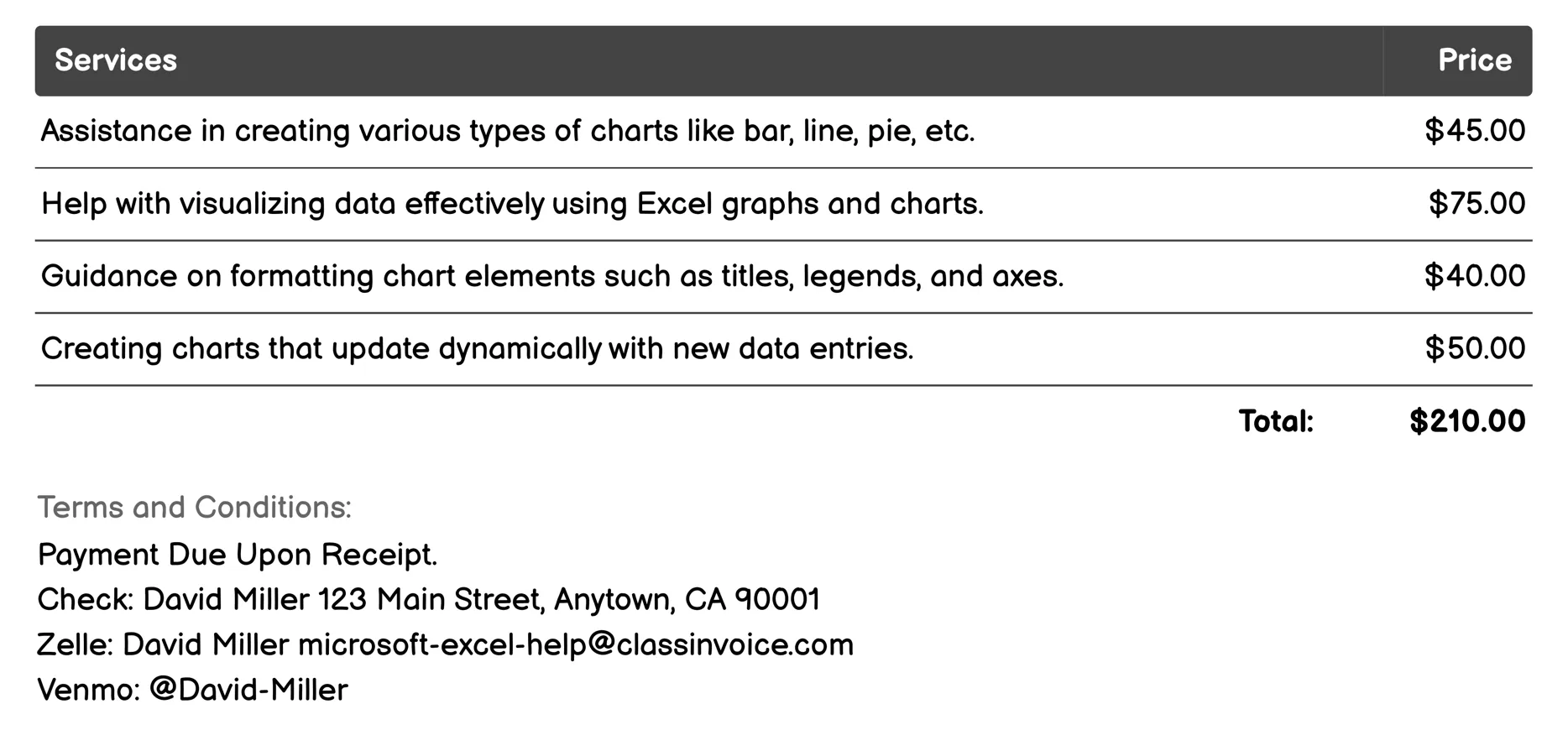
Charts and Graphs Invoice
This service helps users create and manage charts and graphs in Microsoft Excel, enhancing data presentation for invoicing. It offers support in generating various chart types like bar or pie, ensuring data is visualized clearly. Users can format charts with titles and legends, customize their appearance for reports, and troubleshoot any display errors. The service also includes advanced techniques such as dynamic updates and automation using macros, making it easier to integrate charts into comprehensive invoices and financial reports.
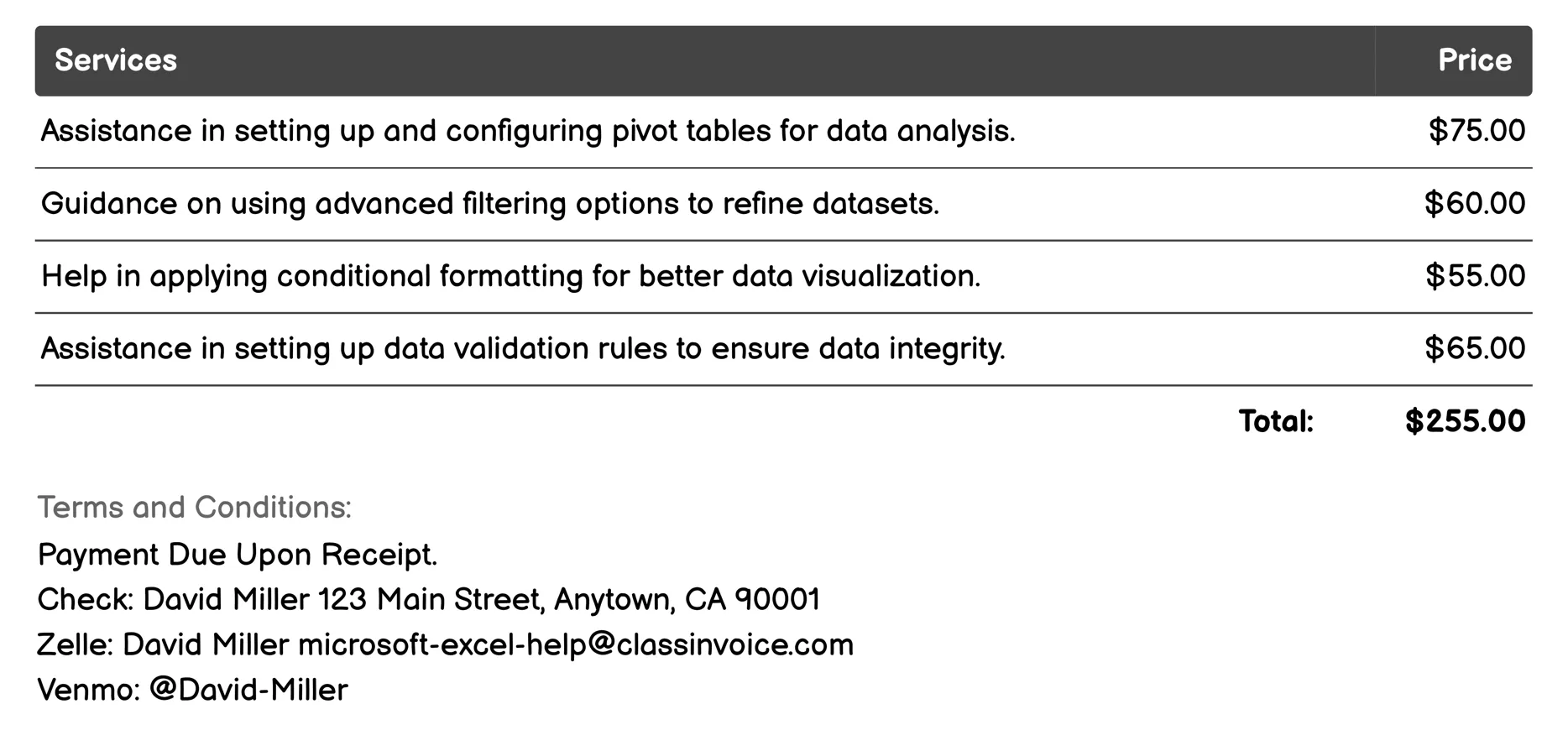
Data Analysis Tools Invoice
This service provides expert help for effectively managing and analyzing data using Microsoft Excel. It covers essential tasks like creating pivot tables, applying advanced filters, and setting conditional formatting to enhance clarity and presentation of financial data. Users receive guidance on implementing data validation rules and automating routine invoicing tasks with macros, ensuring accuracy and efficiency. The service also includes training in Excel functions for complex calculations vital in invoicing, along with support for utilizing Power Query to manage large datasets efficiently.
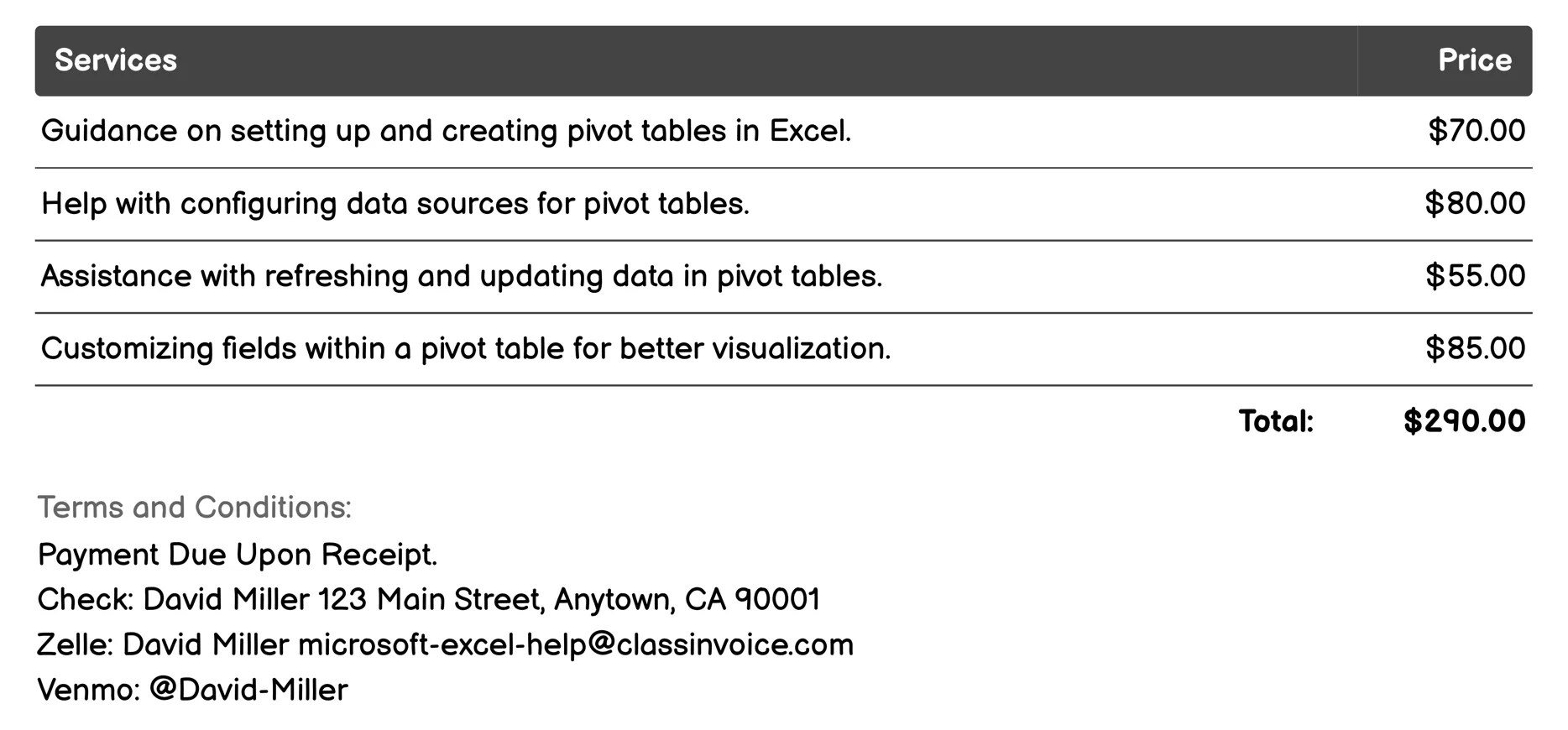
Pivot Tables Invoice
This service offers comprehensive support for using Excel Pivot Tables, crucial for managing invoices. It guides users through setting up pivot tables and configuring data sources to organize invoice information effectively. Users can customize fields and apply filters to refine their data view. The service also helps in creating pivot charts to visualize invoice trends and ensures smooth performance even with large datasets. Additionally, it provides solutions for troubleshooting common errors, making it easier to handle invoicing tasks efficiently.
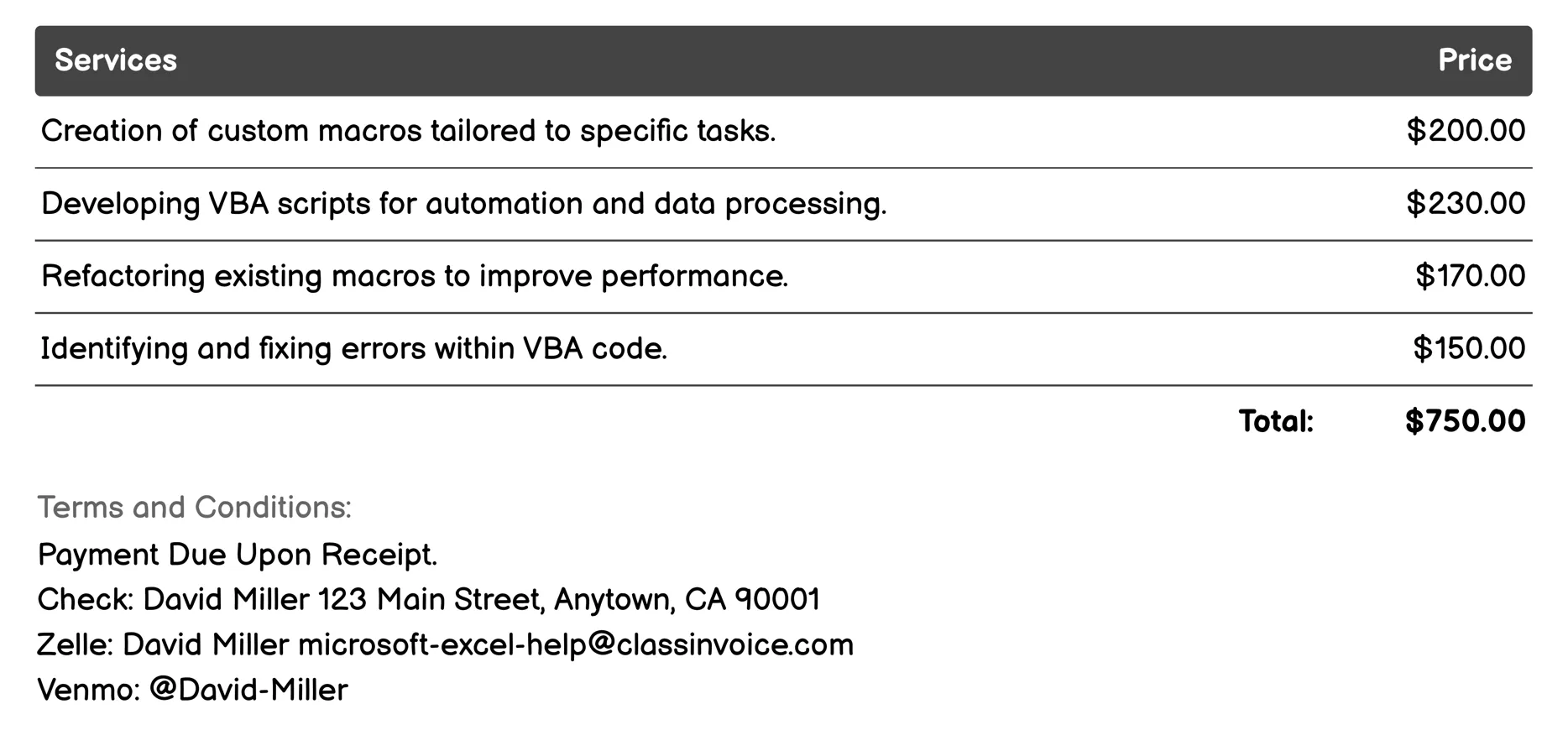
Macros and VBA Invoice
This service provides expert assistance for enhancing Excel's capabilities through custom VBA (Visual Basic for Applications) solutions, focusing on invoicing and financial tasks. Whether you need to automate data import from other sources into your invoice templates, create efficient scripts for generating reports, or customize existing Excel templates with tailored macros, this service offers comprehensive support. It includes optimizing macro performance to speed up processes, debugging errors in VBA code to ensure accuracy, and securing your automated tasks. Additionally, training sessions are available for both beginners and advanced users looking to master VBA for invoicing purposes.
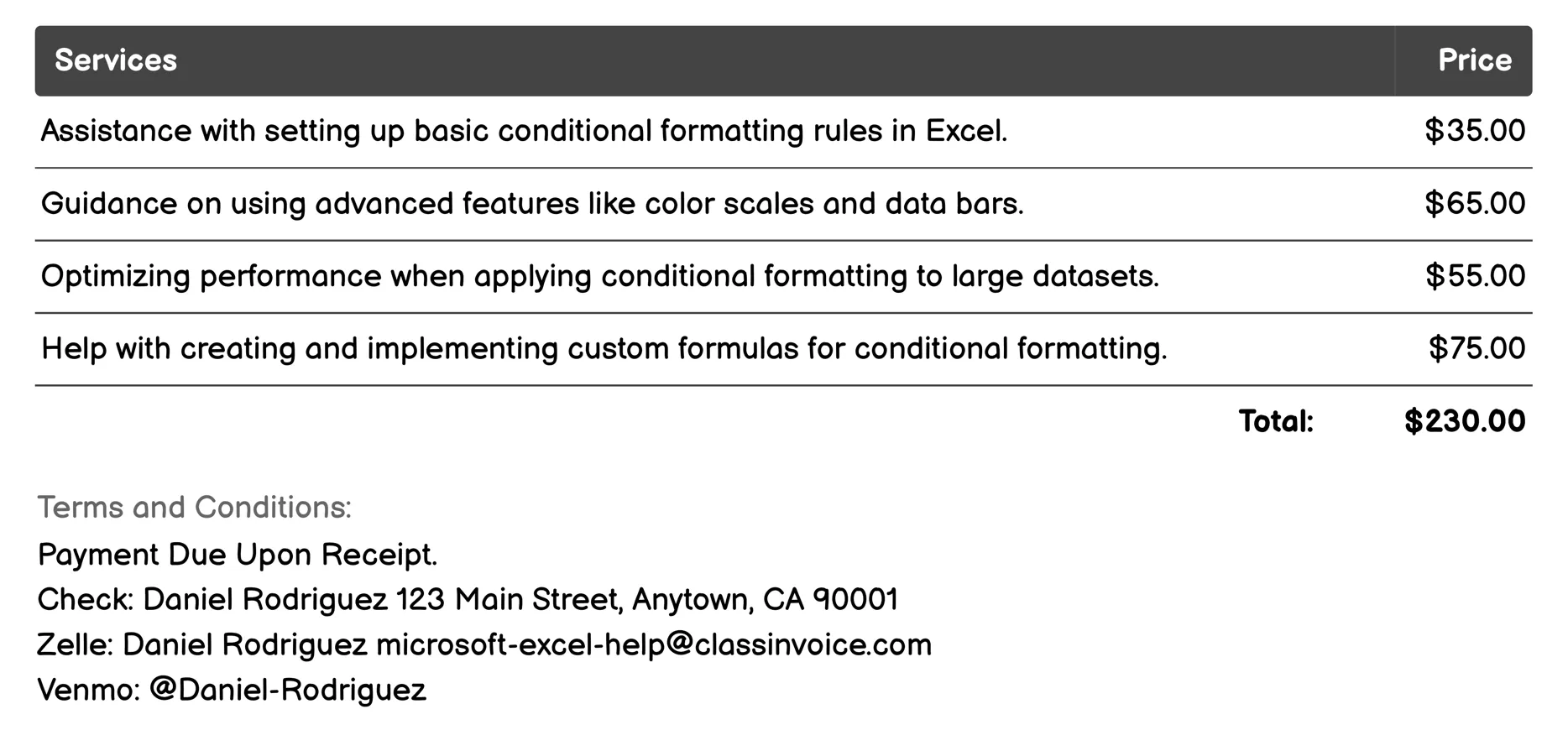
Conditional Formatting Invoice
This service offers comprehensive assistance for using Excel's conditional formatting, from basic rule setup to advanced techniques like color scales and data bars. It helps optimize performance on large datasets and troubleshoot issues, enhancing financial reports with clarity. Users can design interactive dashboards and customize templates for better invoicing insights. The training session educates users on leveraging these tools effectively for improved data visualization and analysis.
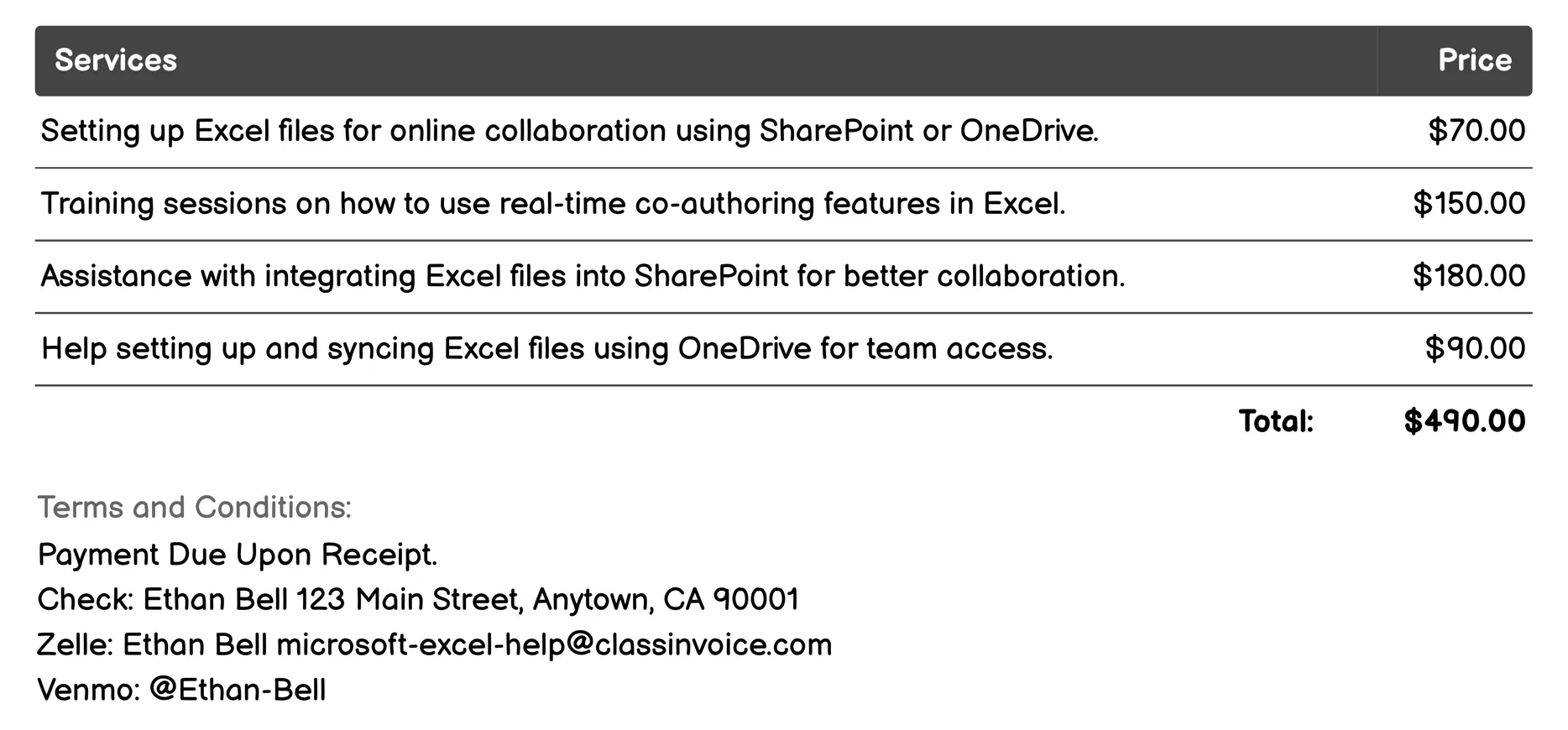
Collaboration Features Invoice
This service facilitates seamless collaboration on Excel files, essential for invoicing and financial management. It supports real-time co-authoring and integrates with SharePoint and OneDrive for easy access and version control. Users benefit from secure sharing options, data consistency checks, and effective permission management, ensuring accurate and efficient invoice handling across teams, including external partners.
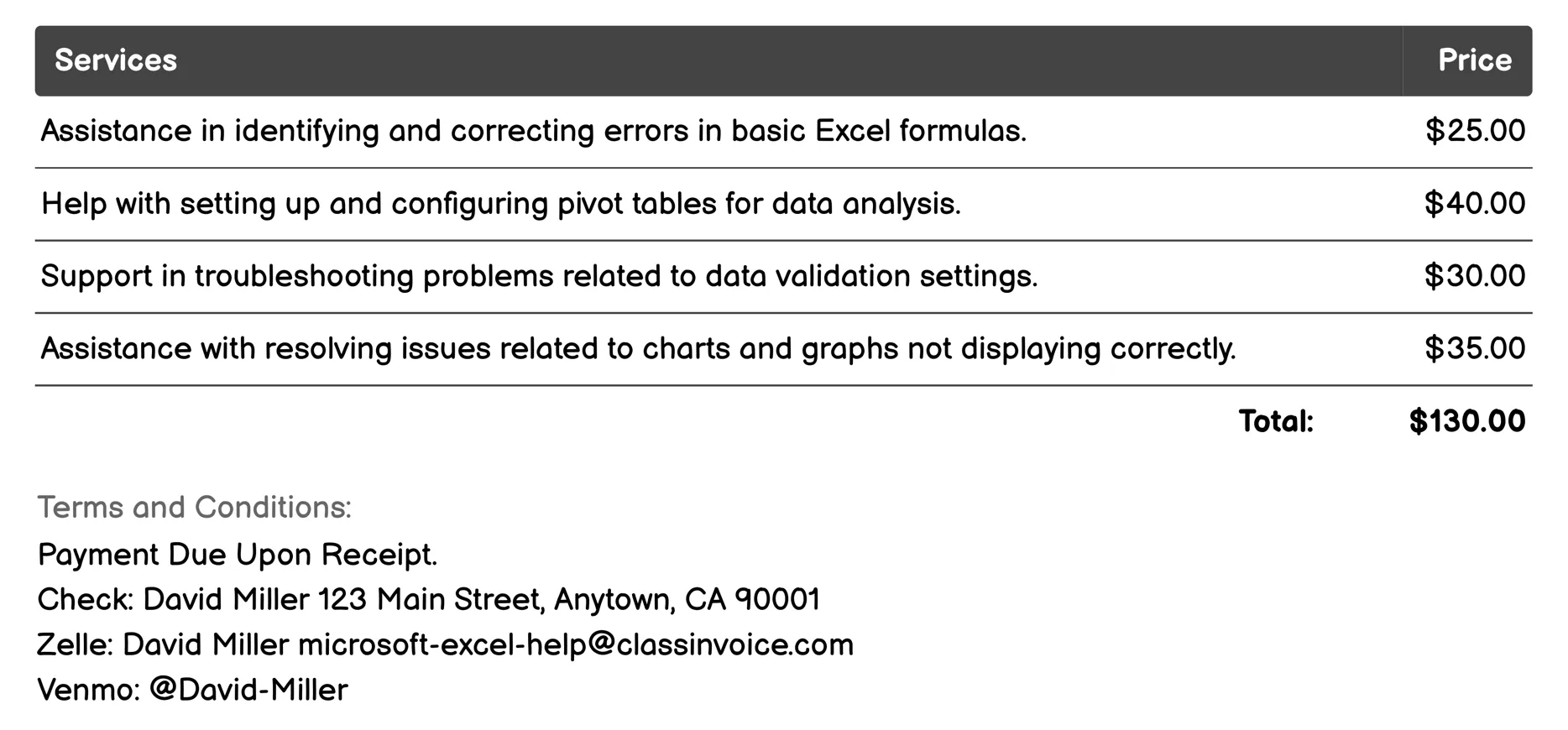
Troubleshooting Invoice
This service provides targeted assistance for common Excel issues affecting invoicing tasks. It helps resolve formula errors, ensures data validation accuracy, configures pivot tables for financial analysis, and fixes chart display problems. Additionally, it supports debugging macros that automate invoice processing, resolves conditional formatting hiccups on invoices, addresses VLOOKUP/HLOOKUP errors in lookup tables, troubleshoots sheet protection issues to secure sensitive invoicing information, rectifies add-in malfunctions affecting invoice templates, and ensures file compatibility across different Excel versions.
FAQ
Is the invoice creation process free ?
Yes, creating an invoice using our service is completely free of charge.
Can I use this service for personal or business purposes ?
This service can be used for both personal and business purposes. No registration or subscription is required.
What can I do with the online invoice creation tool ?
You can create and print invoices, or download them in PDF format for free.
How do I get my printed or PDF invoices ?
You can print your invoices directly from the invoice creation tool, or download them in PDF format for free.
Is the invoice creation process secure ?
Yes, all data is encrypted and stored securely to protect your information.